
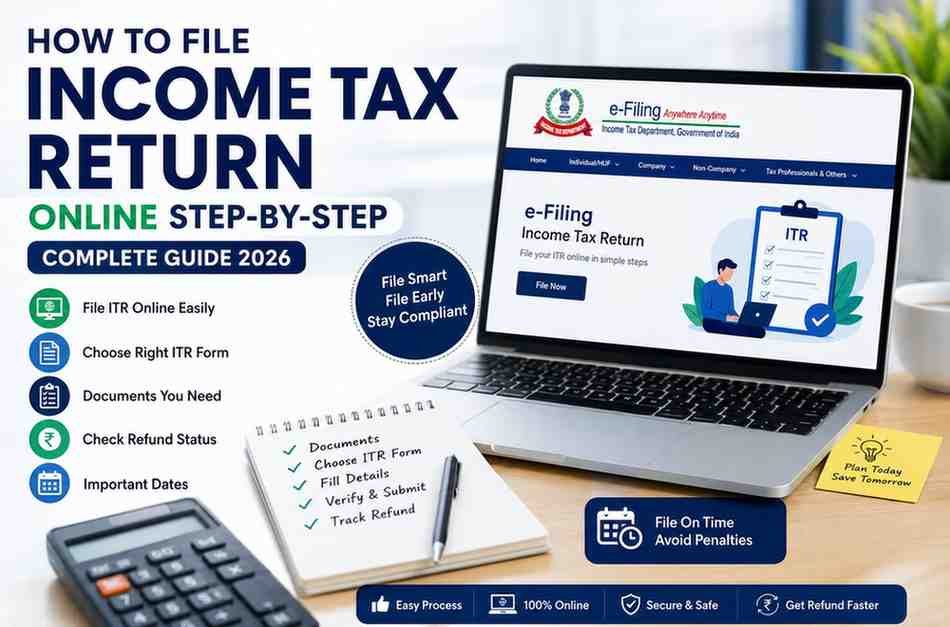
How to File ITR Online in India: Complete Step-by-Step Guide 2026
Filing your Income Tax Return does not have to be difficult. How to File Income Tax Return Online Step by Step is one of the most searched questions by taxpayers in India, especially first-time filers. The process has become much easier because the Income Tax Department now offers an online portal where you can submit your return in a few simple steps. If you have the right documents and choose the correct ITR form, you can complete your return without unnecessary stress.
In this guide, you will learn how to file an Income Tax Return Online Step by Step, understand the Documents required for ITR filing, know which ITR form to choose, learn the Last date to file an ITR for an individual, and discover how to check the status of ITR refund after filing.
Quick Answer
How to File an Income Tax Return Online Step by Step
If you want to file your Income Tax Return online, follow these simple steps.
Collect all required tax documents.
Visit the Income Tax e-filing portal.
Log in using your PAN details.
Select the correct Assessment Year.
Choose the appropriate ITR form.
Enter your income and deduction details.
Verify the information carefully.
Submit your return online.
Complete e Verification.
Track your refund status after successful filing.
Most taxpayers can finish the entire process in less than 30 minutes if all documents are ready.
Why Filing Your Income Tax Return Is Important
Many people think they only need to file taxes if they have a large income. That is not always true. Filing your Income Tax Return helps you stay compliant with tax laws and offers several financial benefits.
When you file your return on time, you can
Claim income tax refunds.
Apply for home or personal loans more easily.
Avoid penalties and interest.
Carry forward eligible business or capital losses.
Build a reliable financial record.
According to the Income Tax Department, millions of taxpayers file their Income Tax Returns electronically every year, showing that online filing has become the preferred method because it is faster, safer, and more convenient.
How to File an Income Tax Return Online Step by Step
If you are filing your return for the first time, do not worry. The process is straightforward when you follow each step carefully.
Step 1: Choose the Correct Financial Year
Before starting, confirm the correct Financial Year and Assessment Year.
For returns filed during 2026, make sure you select the applicable Assessment Year as announced by the Income Tax Department.
Choosing the wrong year may delay processing.
Step 2: Keep the Documents Required for ITR Filing Ready
One of the biggest reasons people make mistakes is missing documents. Therefore, collect everything before you begin.
Documents Required for ITR Filing
You may need
PAN Card
Aadhaar Card
Form 16 from your employer
Salary slips
Bank statements
Interest certificates
Form 26AS
Annual Information Statement
Tax Information Summary
Investment proofs
Home loan certificate, if applicable
Details of capital gains
Rental income details
Business income records, if applicable
Having these documents ready makes online filing much faster and reduces errors.
Which ITR Form Should I Choose
Many taxpayers ask, Which ITR form should I choose before filing.
The answer depends on your income source.
Choosing the correct form is essential because using the wrong form may result in your return being treated as defective.
If you are unsure about your eligibility, it is always better to seek professional guidance before submission.
How to File ITR for Salaried Employees
If you earn a salary, the filing process is usually easier because most information is already available in Form 16.
How to File ITR for Salaried Employees
Follow these simple steps.
First, download your Form 16 from your employer.
Next, compare the information with Form 26AS and the Annual Information Statement.
After that, choose the correct ITR form.
Then enter your salary details, deductions, exemptions, and tax payments.
Finally, review every detail before submitting your return.
Salaried employees should always verify salary income, bank interest, and deduction claims carefully to avoid notices later.
How to File a Zero Income Tax Return Online
Many students, homemakers, freelancers, and individuals with income below the taxable limit ask whether they should file a return.
The answer is yes in many situations.
How to File a Zero Income Tax Return Online
If your taxable income is below the exemption limit, you can still file a Nil Return.
A Nil Return helps you
Maintain a financial record.
Support visa applications.
Simplify future loan approvals.
Claim eligible refunds if tax has been deducted.
Avoid future compliance issues.
The online filing process remains almost the same. The main difference is that your tax liability becomes zero after calculating your income and deductions.
Expert Tip
Before submitting your return, compare your income details with Form 26AS and the Annual Information Statement. This small step can significantly reduce the chances of receiving an income tax notice later.
About TaxAbide
At TaxAbide, our experienced tax professionals help individuals, salaried employees, freelancers, business owners, and startups file accurate Income Tax Returns while ensuring compliance with the latest tax regulations. Learn more about our About Us page to understand our expertise and commitment to simplifying taxation for our clients.
ITR Filing Start Date for AY 2026 to 27
Every financial year, the Income Tax Department opens the online portal for return filing after releasing the required ITR utilities and forms. Therefore, taxpayers should regularly check the official announcements before starting the filing process.
ITR Filing Start Date for AY 2026 to 27
The ITR filing start date for AY 2026 to 27 depends on when the Income Tax Department releases the return forms and enables online filing. Usually, the portal starts accepting returns after the relevant ITR forms become available.
Filing early offers several advantages.
Faster processing of your return
Earlier refund, if applicable
More time to correct errors
Reduced last-minute stress
Better financial planning
Instead of waiting until the final week, begin your filing as soon as the portal is open and your tax documents are available.
Last Date to File ITR for Individual
Knowing the Last date to file the ITR for an individual is very important. Missing the due date can lead to unnecessary penalties and other compliance issues.
Although the government may extend the deadline in special situations, you should never depend on an extension.
Filing your return before the due date helps you:
Avoid late filing fees
Reduce interest on outstanding tax
Receive your refund sooner
Maintain a clean compliance history
Prevent last-minute technical issues
If you have business income or require an audit, your due date may differ. Therefore, always confirm the applicable deadline based on your taxpayer category.
Comparison Table of ITR Forms
Choosing the right ITR form makes filing much easier. The table below gives you a quick overview.
If your income comes from multiple sources, selecting the correct form becomes even more important.
Common Mistakes While Filing an Income Tax Return
Even a small mistake can delay your refund or result in an income tax notice. Fortunately, most errors are easy to avoid.
Here are some common mistakes.
Choosing the Wrong ITR Form
Many taxpayers select an incorrect return form without checking eligibility.
Entering Incorrect PAN or Aadhaar Details
Even one incorrect character can delay processing.
Ignoring Bank Interest
Many people report salary income but forget savings account or fixed deposit interest.
Not Verifying Form 26AS
Always compare your information with Form 26AS, Annual Information Statement, and Tax Information Summary before submitting.
Claiming Incorrect Deductions
Only claim deductions that you are eligible for and can support with valid documents.
Forgetting E Verification
Submitting your return is only one part of the process. Your return is considered complete only after successful verification.
How to Verify ITR Online by PAN Number
After submitting your return, the next step is verification.
Many taxpayers search for how to verify ITR online by PAN number because verification confirms that the Income Tax Department has received your return.
You can complete verification through several methods.
Aadhaar-based OTP
Net Banking
Digital Signature Certificate
Demat Account
Bank Account linked with your PAN
Electronic Verification Code
The fastest option for most taxpayers is Aadhaar OTP because it takes only a few minutes.
Do not delay verification. An unverified return may not be processed.
AI Overview Friendly Answer Box
How to Verify ITR Online by PAN Number
You can verify your Income Tax Return after filing by logging into the Income Tax e-Filing portal with your PAN credentials. Next, choose the pending verification option and complete verification using Aadhaar OTP, Net Banking, Electronic Verification Code, or another approved method. Once verified successfully, your return is processed by the Income Tax Department.
How to Check the Status of ITR Refund
After filing and verifying your return, the next question is usually how to check the status of your ITR refund.
The refund process begins only after the Income Tax Department successfully processes your return.
How to Check the Status of ITR Refund
Follow these steps.
Log in to the Income Tax e-Filing portal.
Open your filed returns section.
Select the relevant Assessment Year.
View the current processing status.
Check whether your refund has been approved, processed, or credited.
If your refund is delayed, review your bank account details and ensure your return has been successfully verified.
Statistics That Every Taxpayer Should Know
Recent years have shown a significant increase in online Income Tax Return filing across India.
Here are some useful facts.
Millions of taxpayers now prefer online filing instead of offline submission.
Salaried individuals represent one of the largest groups of online taxpayers.
Most refunds are processed electronically after successful verification.
Early filers generally receive refunds sooner than taxpayers who file close to the deadline.
Digital verification has reduced processing time compared with physical verification methods.
These trends clearly show that online filing has become faster, safer, and more convenient.
Expert Advice From Tax Professionals
Tax laws change regularly. Therefore, relying on outdated information may lead to mistakes.
At TaxAbide, experienced tax professionals help individuals, salaried employees, freelancers, business owners, and startups file accurate Income Tax Returns while complying with the latest tax regulations.
Professional assistance can help you:
Select the correct ITR form
Maximise eligible deductions
Avoid filing errors
Respond to notices correctly
Save valuable time
If your income includes capital gains, foreign assets, business income, or multiple income sources, seeking expert guidance is often the safest option.
When Should You Seek Professional Help
While many taxpayers can file their own returns, some situations require expert support.
You should consider professional assistance if:
You have business income.
You earn income from multiple sources.
You sold shares, property, or mutual funds.
You own foreign assets or receive overseas income.
You received an income tax notice.
You are filing a revised or updated return.
You are unsure which ITR form applies to your case.
In such cases, working with experienced professionals can reduce errors and ensure that your return is filed the first time correctly.
Need Help Filing Your Income Tax Return?
If you want expert assistance with your Income Tax Return, TaxAbide can help you file accurately, maximise eligible deductions, and stay compliant with the latest tax laws. Visit our Contact Us page to connect with our tax experts and get personalised support.
Conclusion
Filing your Income Tax Return is no longer a complicated process. Once you understand how to File Income Tax Return Online Step by Step, the entire process becomes much easier. By collecting the Documents required for ITR filing, selecting the correct ITR form, entering accurate details, and completing e-verification, you can file your return confidently and avoid unnecessary delays.
Moreover, filing your return on time helps you maintain tax compliance, claim eligible refunds, and create a strong financial record. Whether you are a salaried employee, a freelancer, a business owner, or someone filing a Nil Return, understanding the correct process saves both time and effort.
If your income involves business profits, capital gains, foreign income, or multiple income sources, seeking professional guidance can help you avoid costly mistakes and ensure complete compliance with the latest tax regulations.
Key Takeaways
Here are the most important points to remember before filing your return.
Keep all Documents required for ITR filing ready before you begin.
Select the correct ITR form based on your income sources.
Cross-check your details with Form 26AS, AIS, and TIS.
File your return before the Last date to file ITR for an individual.
Complete the verification immediately after submission.
Regularly check the status of your ITR refund after your return is processed.
Keep a copy of your filed return and acknowledgement for future reference.
AI Overview Friendly Summary
How to File an Income Tax Return Online Step by Step
To file an Income Tax Return online in India, collect all necessary documents, log in to the Income Tax e-Filing portal using your PAN, choose the correct Assessment Year and ITR form, enter your income details, verify the information, submit the return, and complete e-verification. After successful verification, monitor your refund status through the portal. Filing your return before the due date helps avoid penalties and speeds up refund processing.